Estimates, work orders, inspections and invoices for a collision, paint and mechanical shop.
- For
- 613 Automotive, Kingston, Ontario
- My role
- Everything: research, brand, app, printed documents
- When
- October to November 2026
- Used by
- The front desk on a computer, technicians on phones in the bay
- Status
- In live testing at the shop, changing with their feedback
- Built with
- Next.js 16, React 19, Supabase, jsPDF, Tailwind 4, Vitest
The shop
They asked for an invoice generator. What they needed was the whole life of a job.
613 Automotive does collision repair, refinishing and mechanical work. When I started, they had no real paperwork: a few sample estimates someone had made in ChatGPT, totals worked out on a calculator, and a logo as a single JPEG.
Their jobs aren’t simple invoices. Body, paint and mechanical labour are billed at different hourly rates. Paint materials carry a markup. Insurance jobs arrive with the insurer’s own estimate, and the bill is split between the insurer and the customer’s deductible. Customers sign on paper.
So the app covers a job from the first estimate to the last payment, in one place, with paperwork they can hand to a customer without apologising for it.
- Printed documents from one job
- 4
- Items in the mechanical inspection
- 46
- Ontario’s cap over an approved estimate
- 10%
- Module works out every total, in whole cents
- 1
Build an estimate
Money is worked out in one place.
Build an estimate
This is the shop’s sample collision job. Change hours, prices or line types and the totals work themselves out the way the app does it. Then approve the estimate and push a line up: Ontario caps the final bill at 10% over an approved estimate.
A job, check-in to paid
A job follows the order the shop already works in.
One job: pick a station
01Check-in
- Who
- The front desk
- Before
- No real paperwork.
- Now
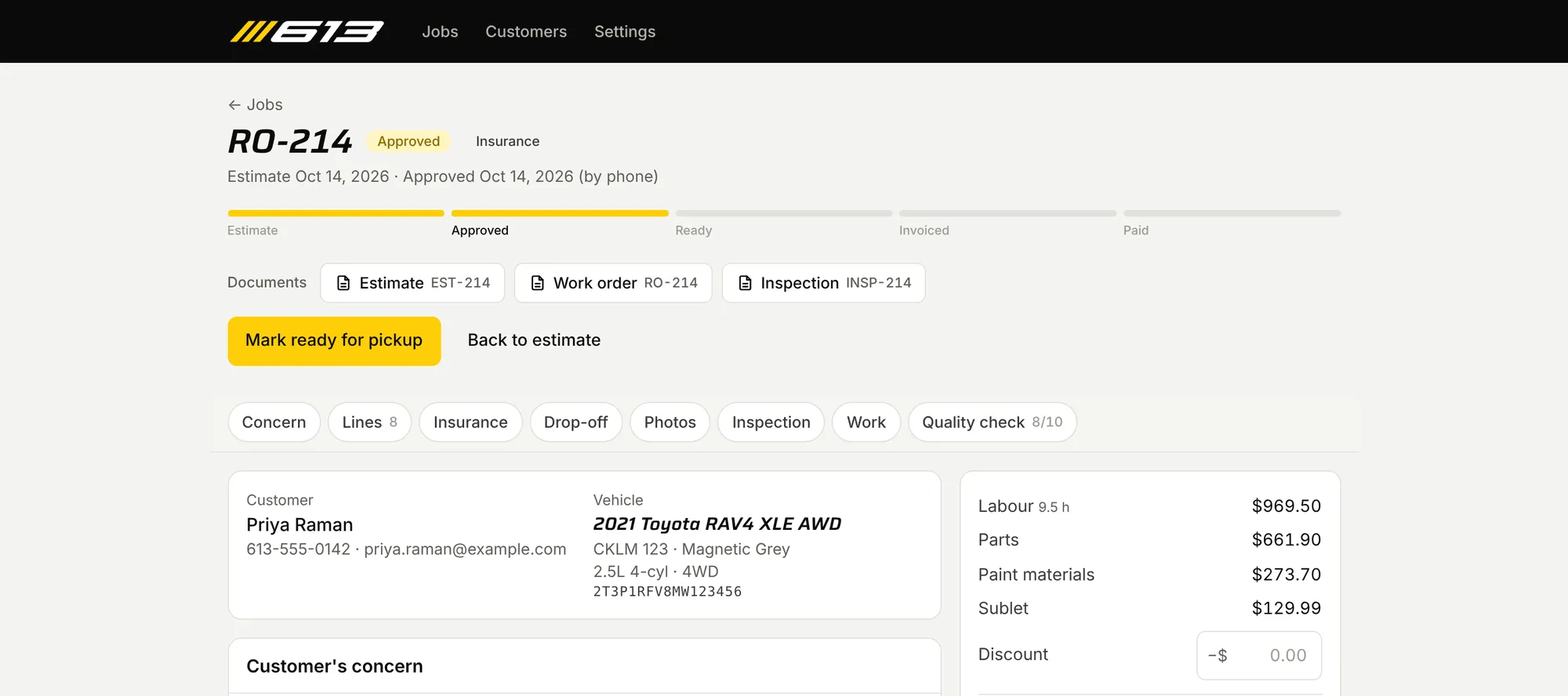
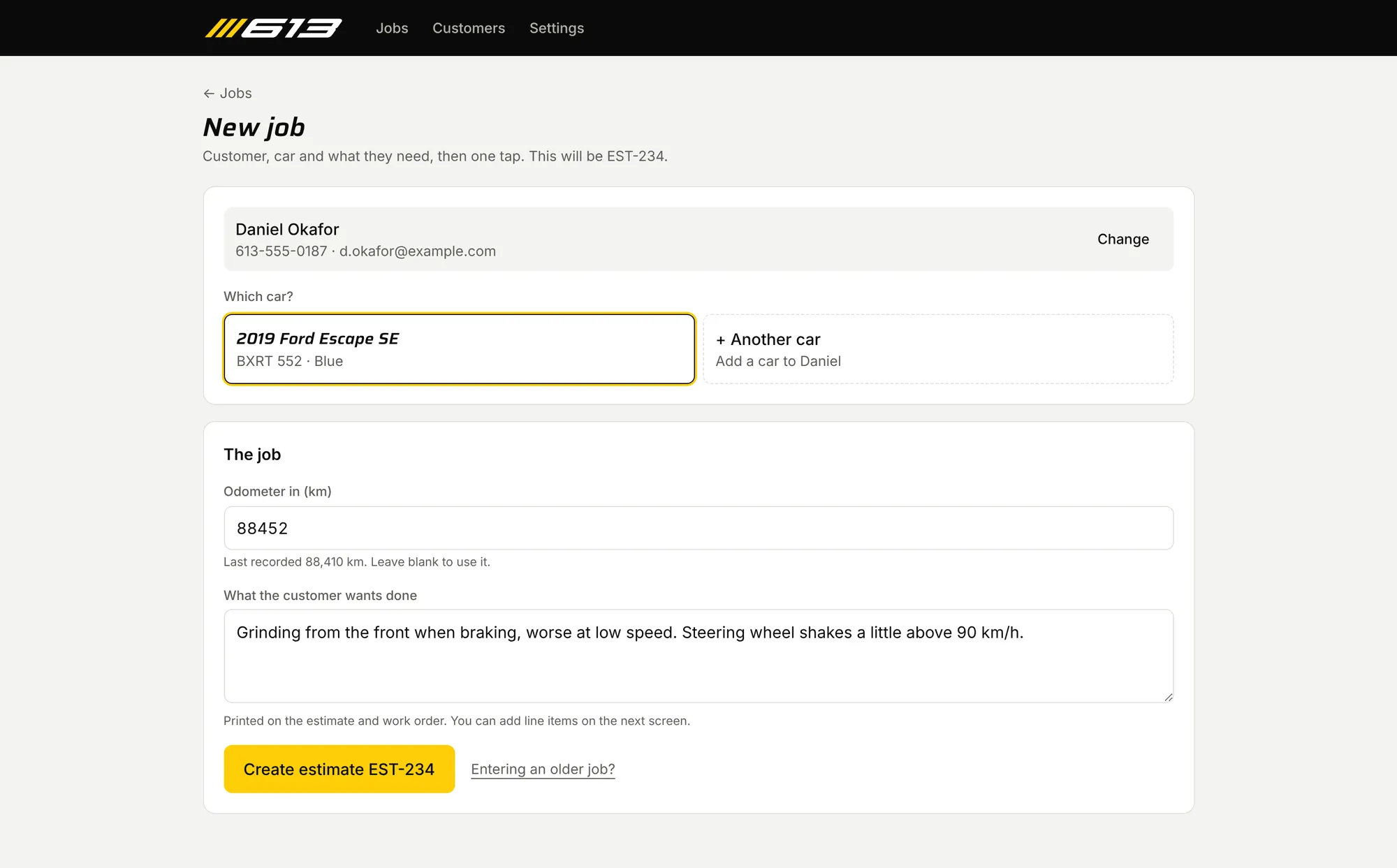
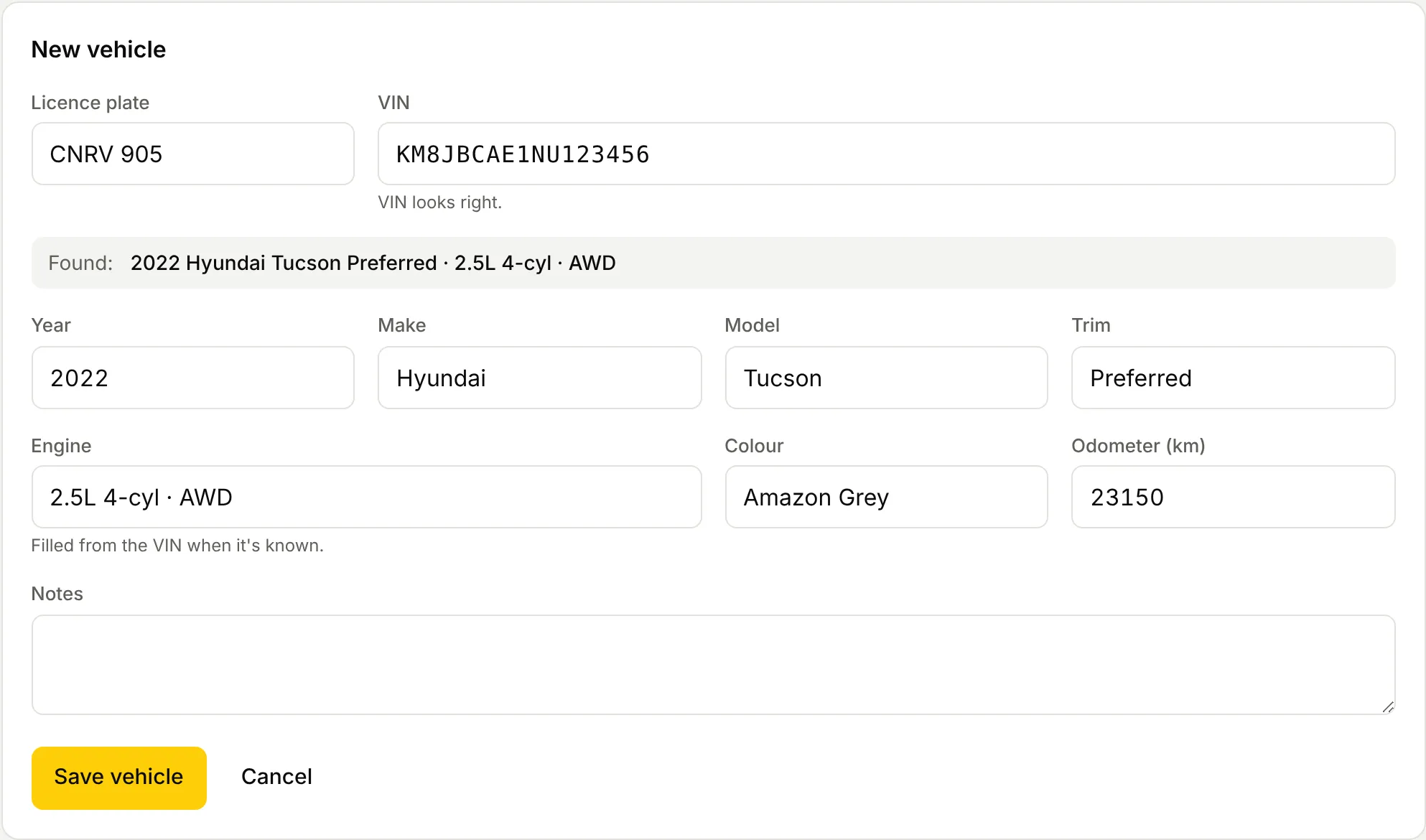
- One screen: search by plate, name or phone, and tapping a car picks the customer too. A new car’s VIN fills in the year, make, model and engine from NHTSA. Odometer and the customer’s concern go on the same screen, and one button saves it all.
- Where
- Front desk, on a computer
02Estimate
- Who
- The front desk
- Before
- Sample estimates made in ChatGPT, totals worked out on a calculator.
- Now
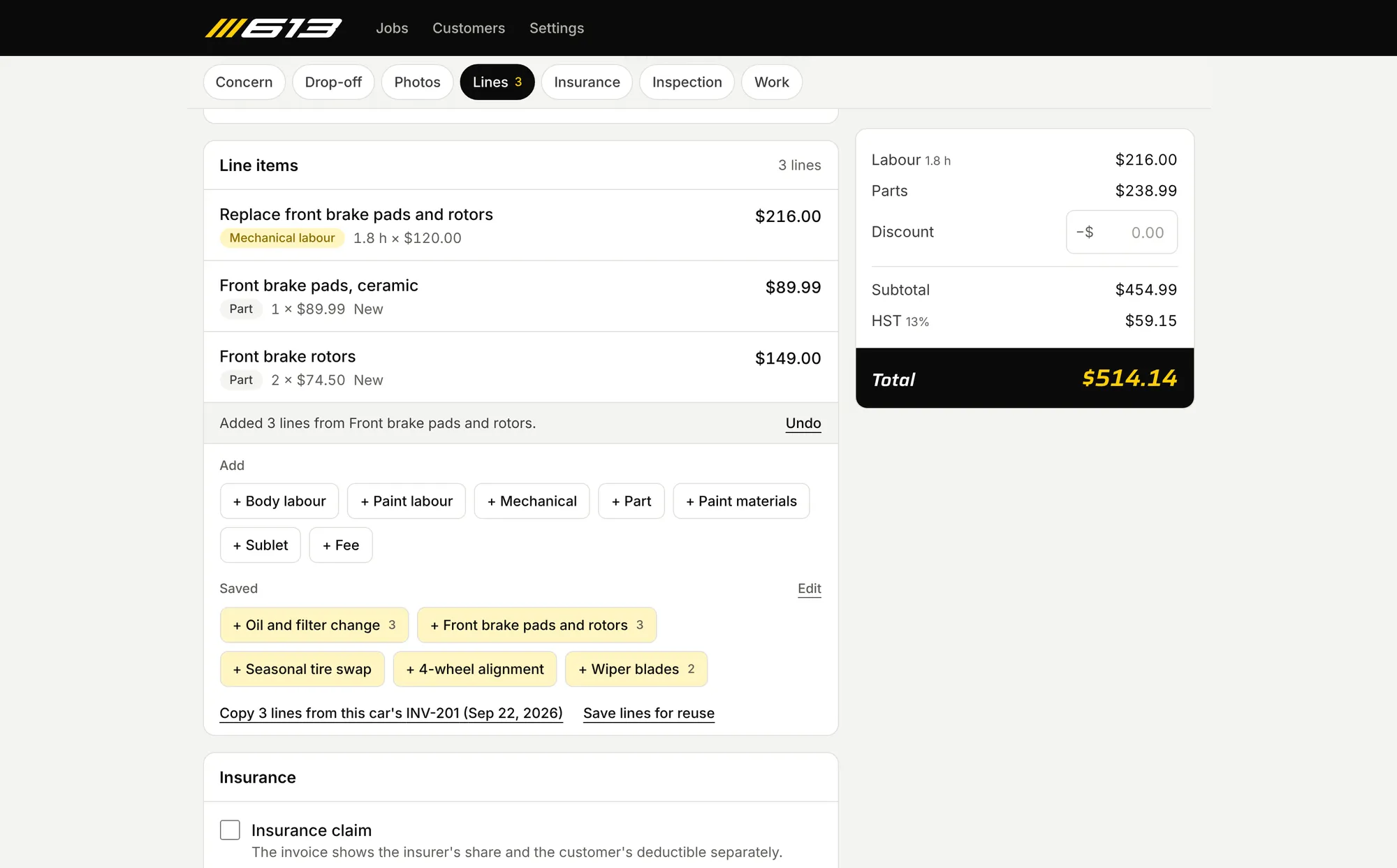
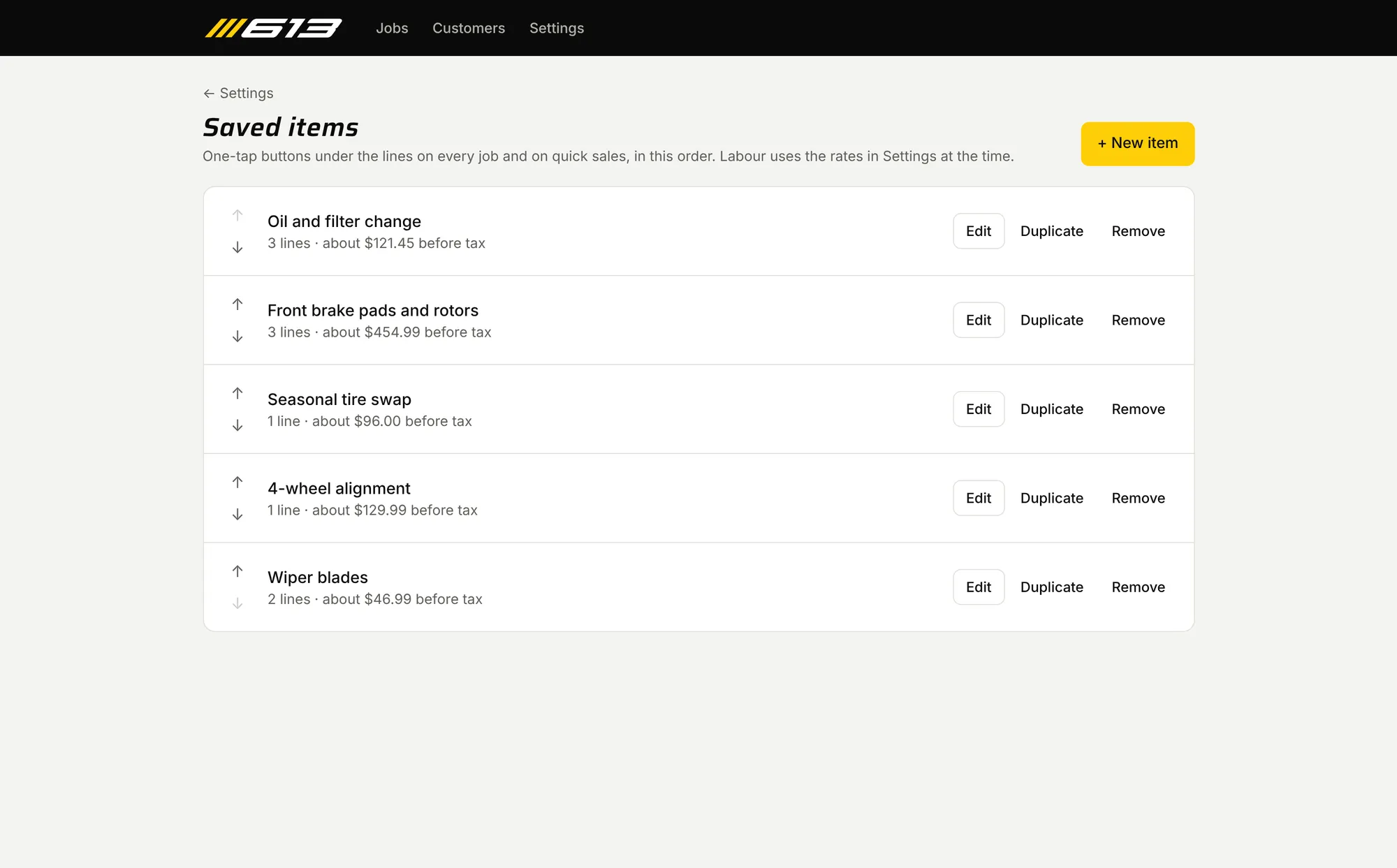
- Lines by type, each with its own rate; parts marked new or used and OEM or aftermarket; the insurer’s estimate attached as a PDF. Common work is a one-tap saved item, and the car’s last job can be copied at today’s rates.
- Where
- Front desk, on a computer
03Drop-off
- Who
- The front desk, with a phone
- Before
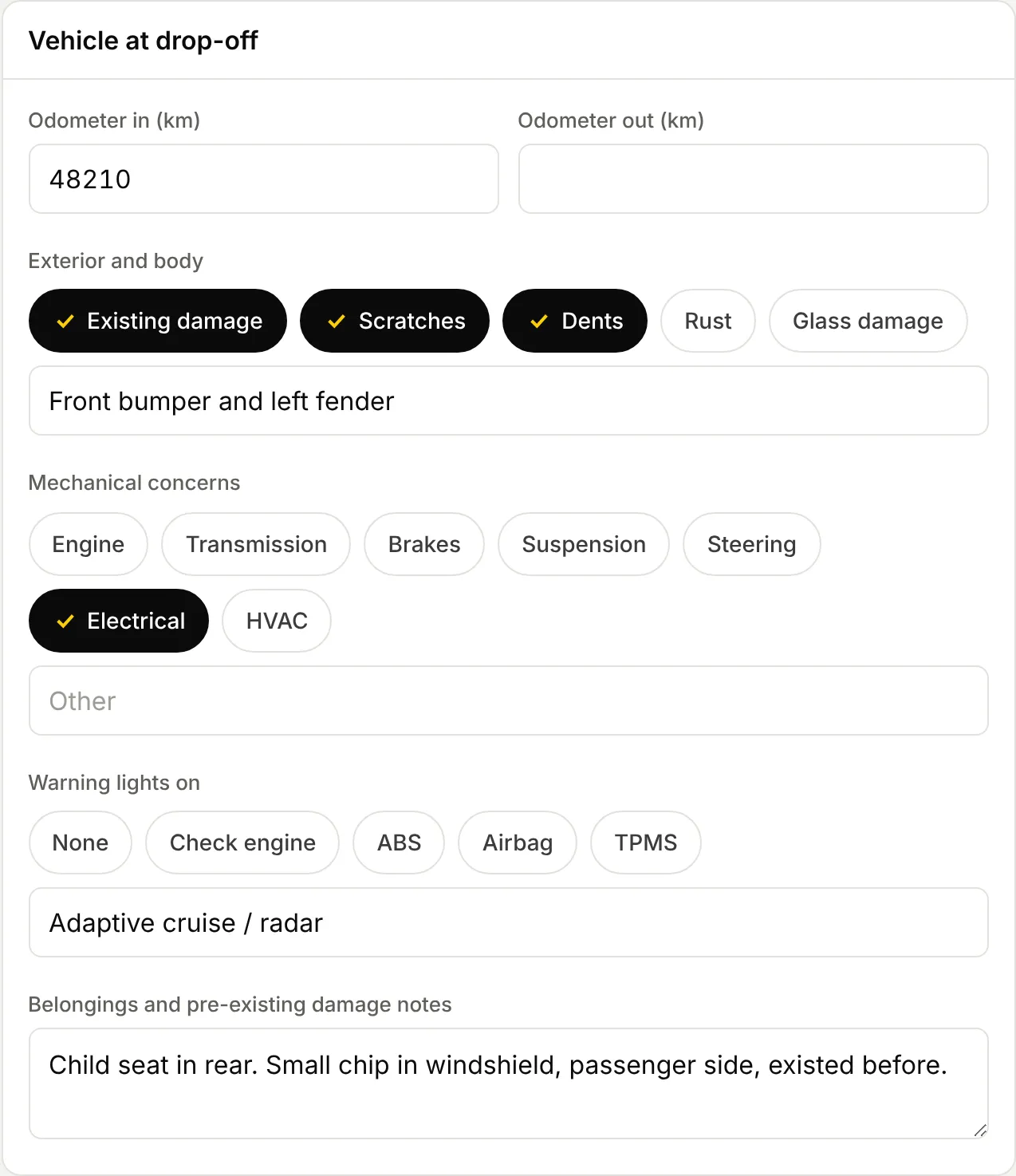
- Nothing on record if a customer questions a scratch later.
- Now
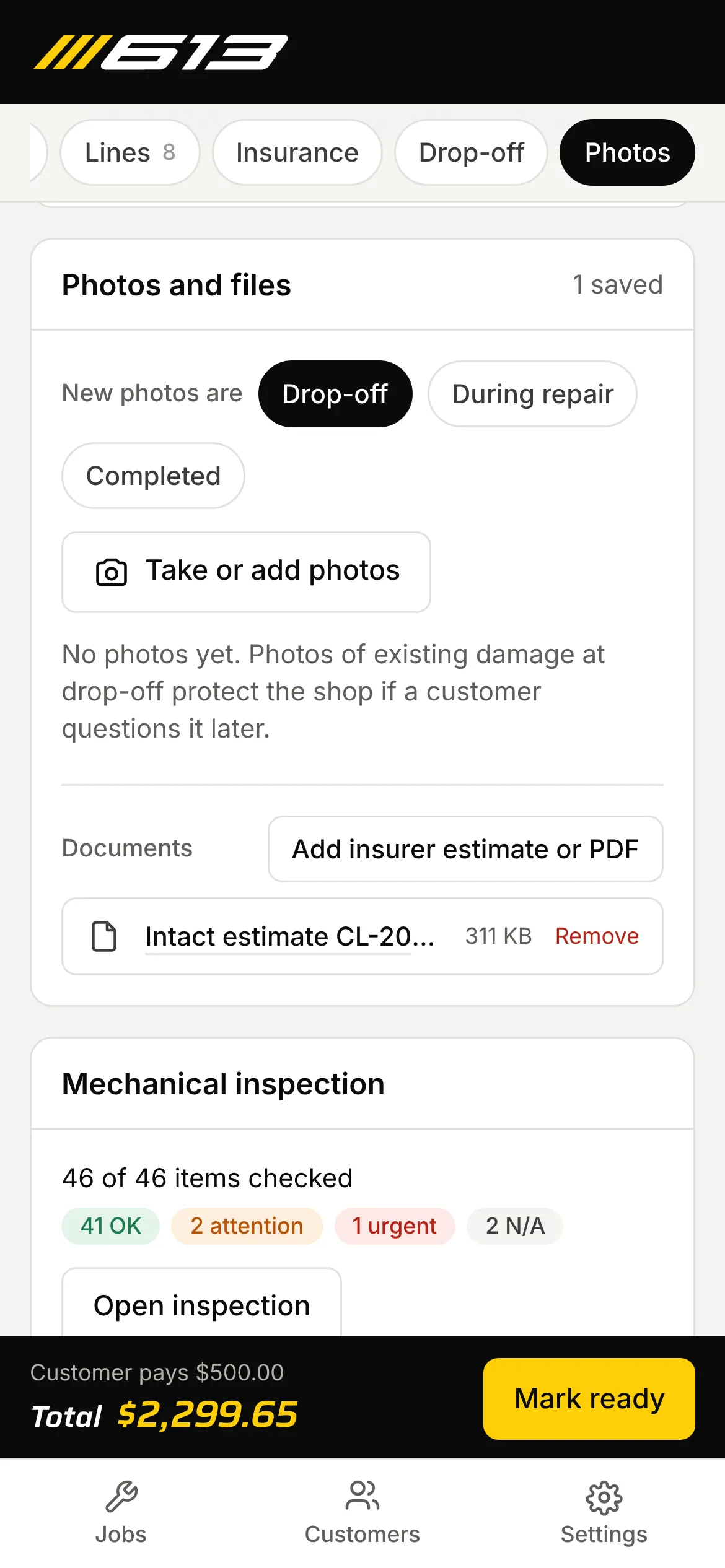
- Existing damage, warning lights, belongings, and photos taken on a phone. Mostly taps instead of typing.
- Where
- At drop-off
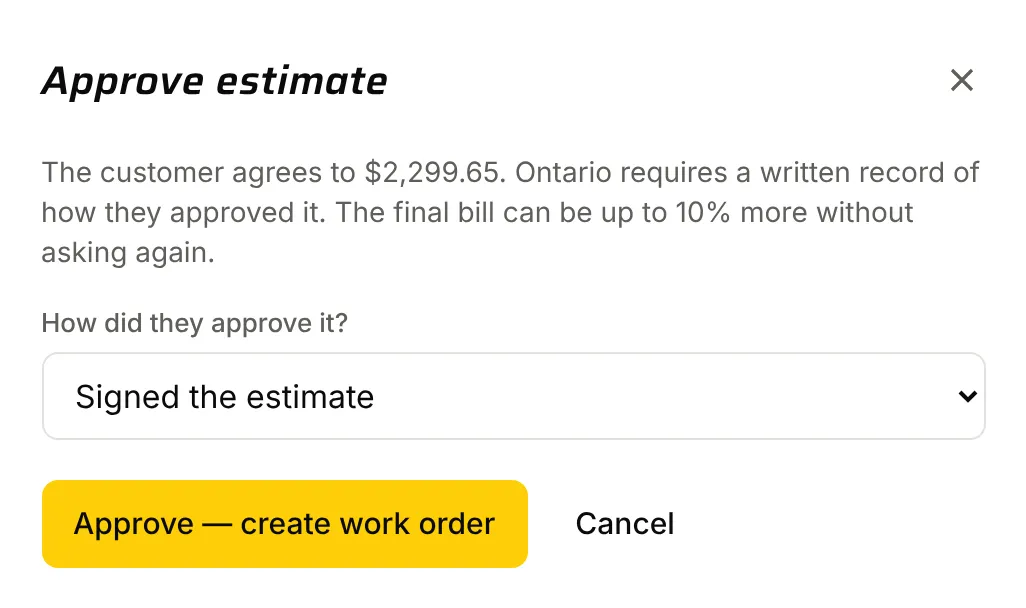
04Approval
- Who
- The customer and the front desk
- Before
- Not recorded, though Ontario requires it.
- Now
- How the customer approved (signed the estimate, by phone, and so on) is recorded, and the work order is created.
- Where
- Front desk
05In the bay
- Who
- Technicians
- Before
- No real paperwork.
- Now
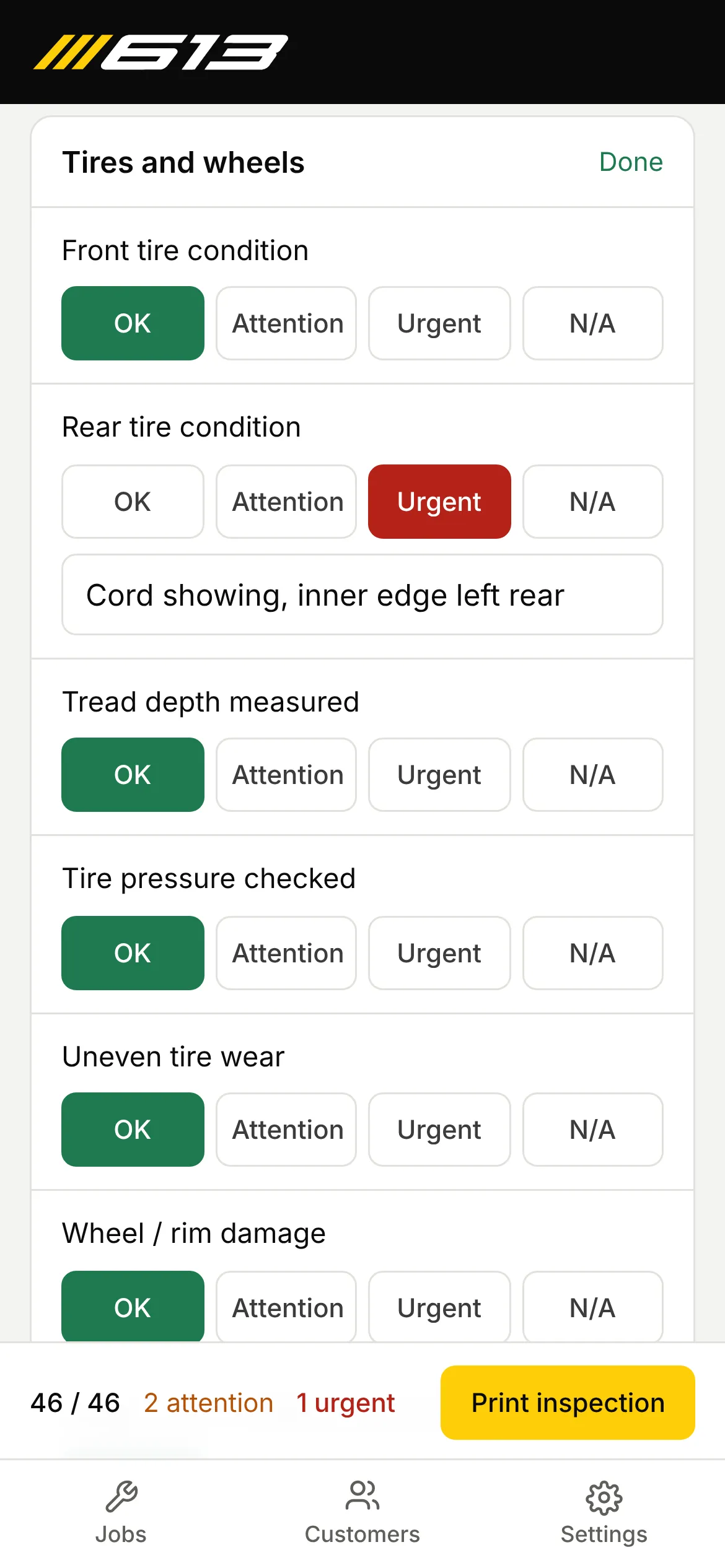
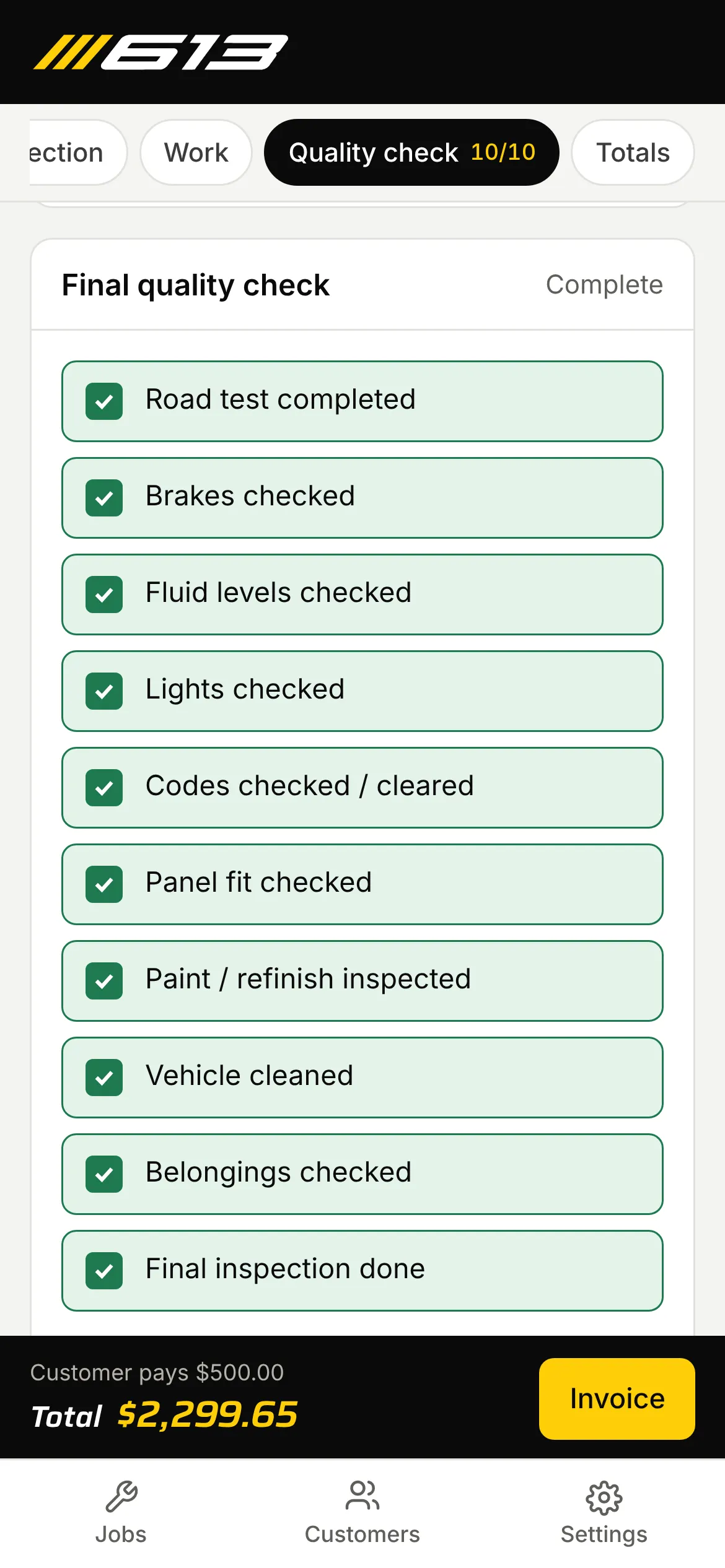
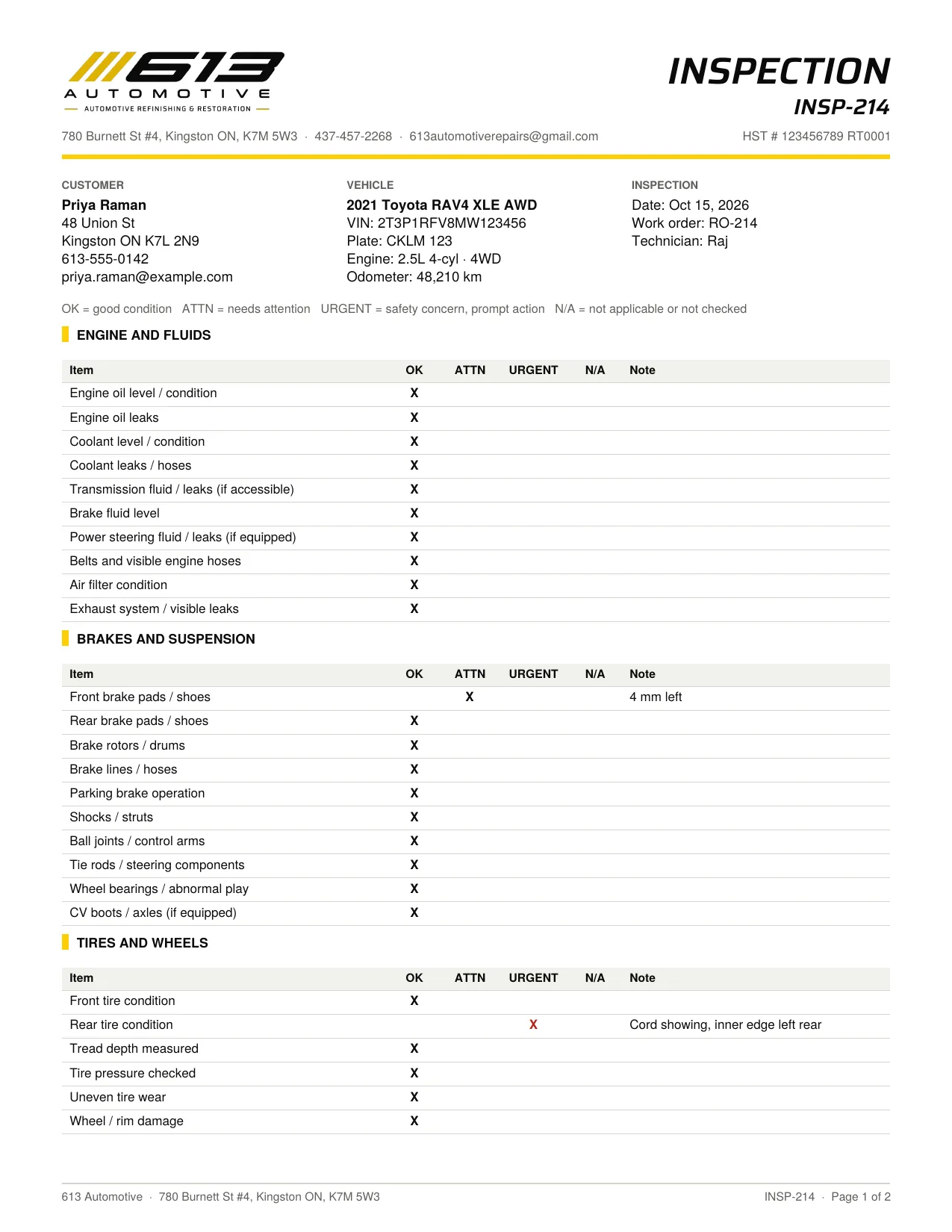
- A 46-item mechanical inspection and a final quality check, filled in on a phone.
- Where
- In the bay, on a phone
06Invoice and payment
- Who
- The front desk
- Before
- Totals worked out on a calculator.
- Now
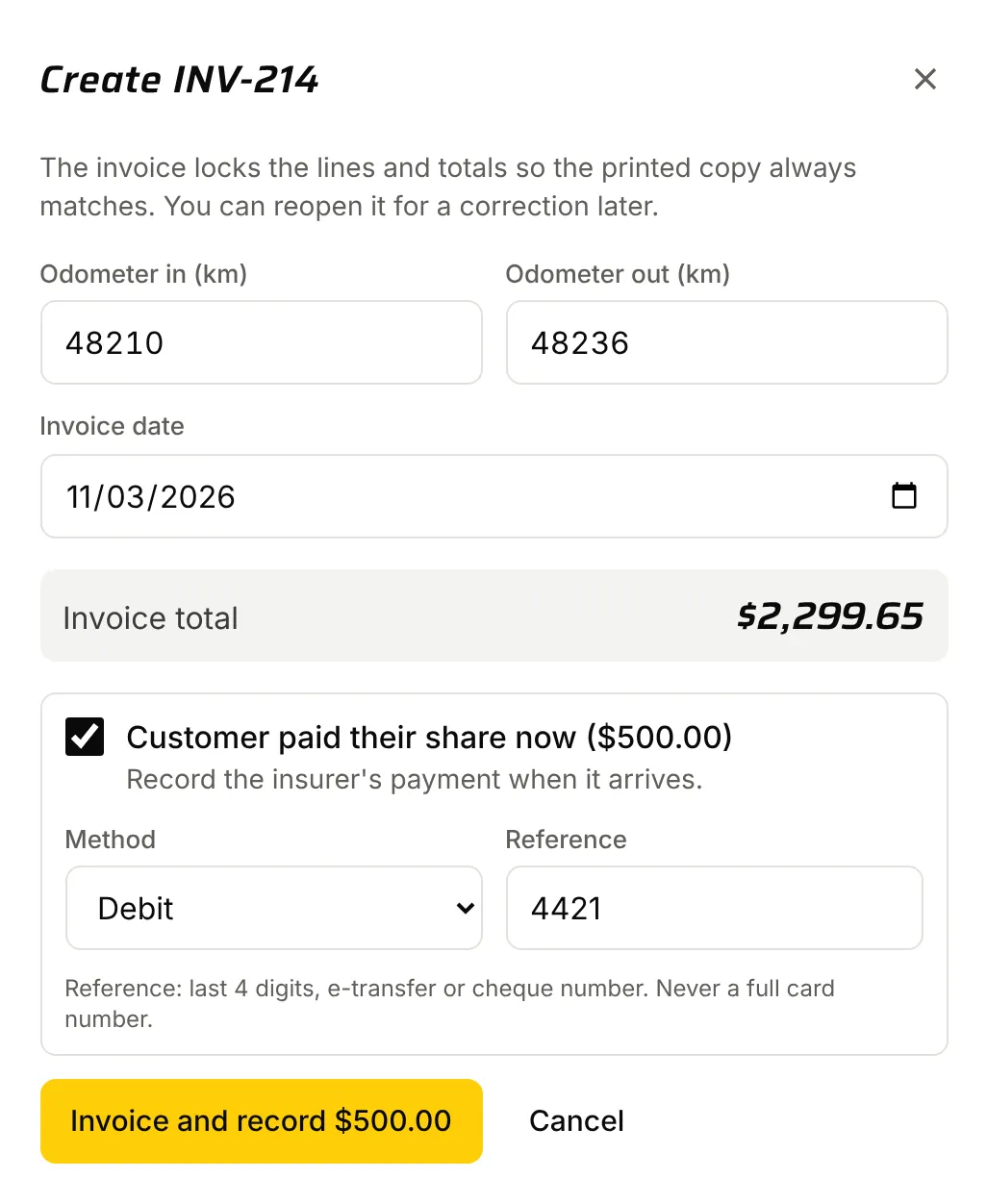
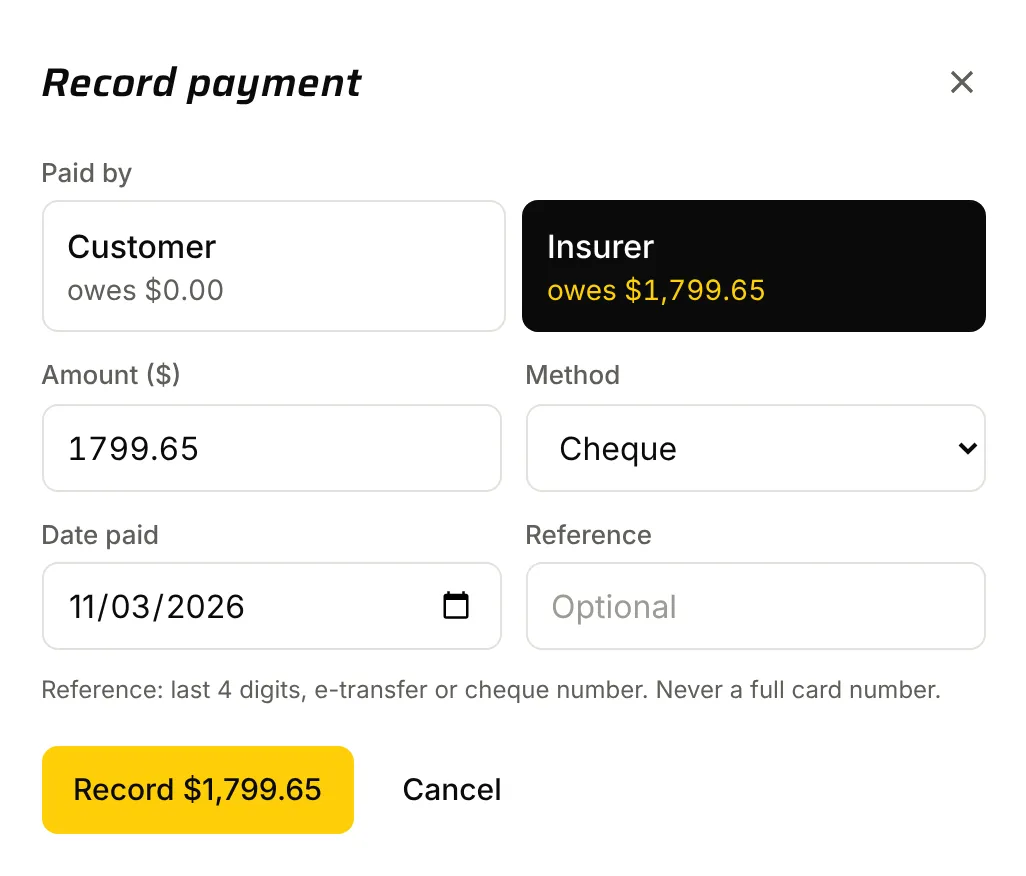
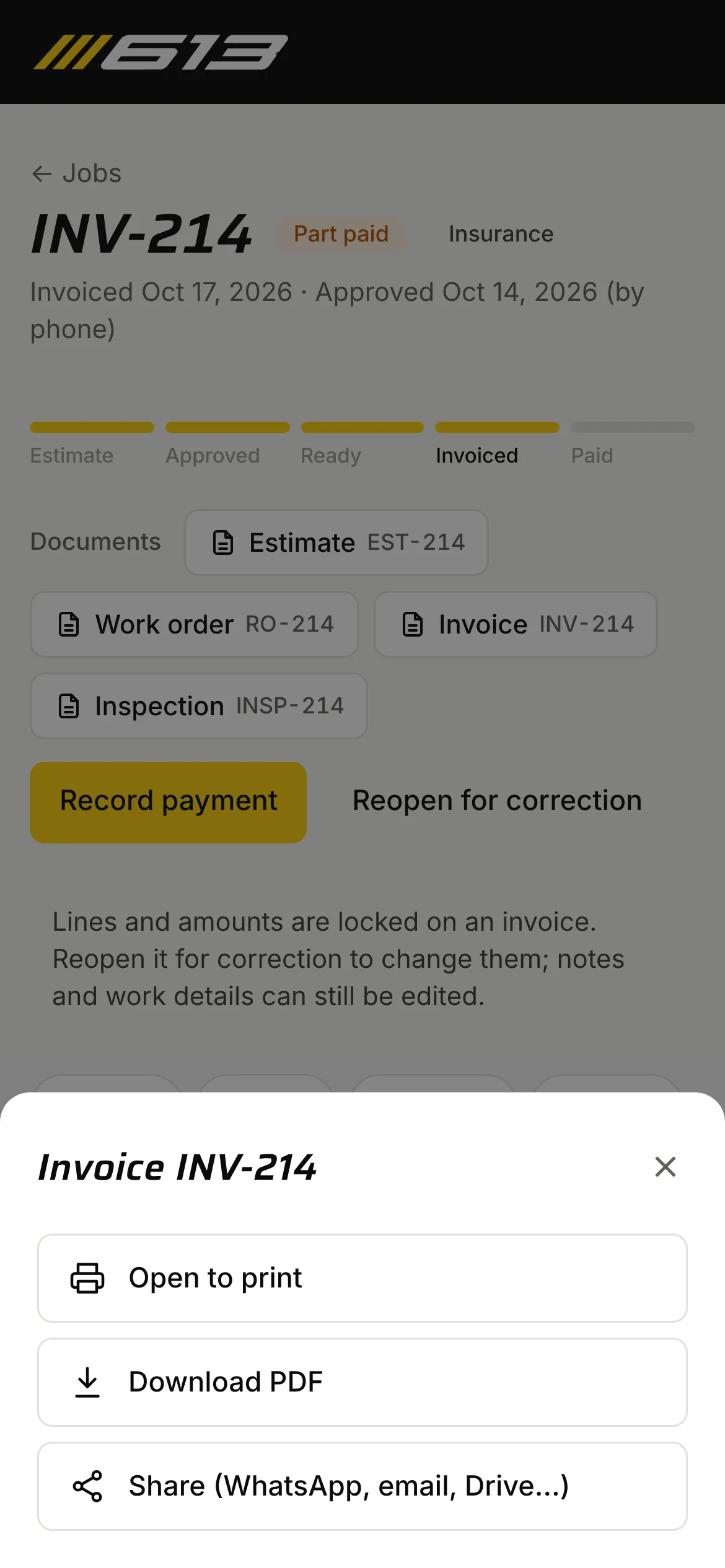
- The invoice locks the lines so the printed copy always matches. “Paid now” records the payment in the same step, and payments can be split between customer and insurer.
- Where
- Front desk
Quick sale
Small walk-in jobs, invoiced and paid in one tap.
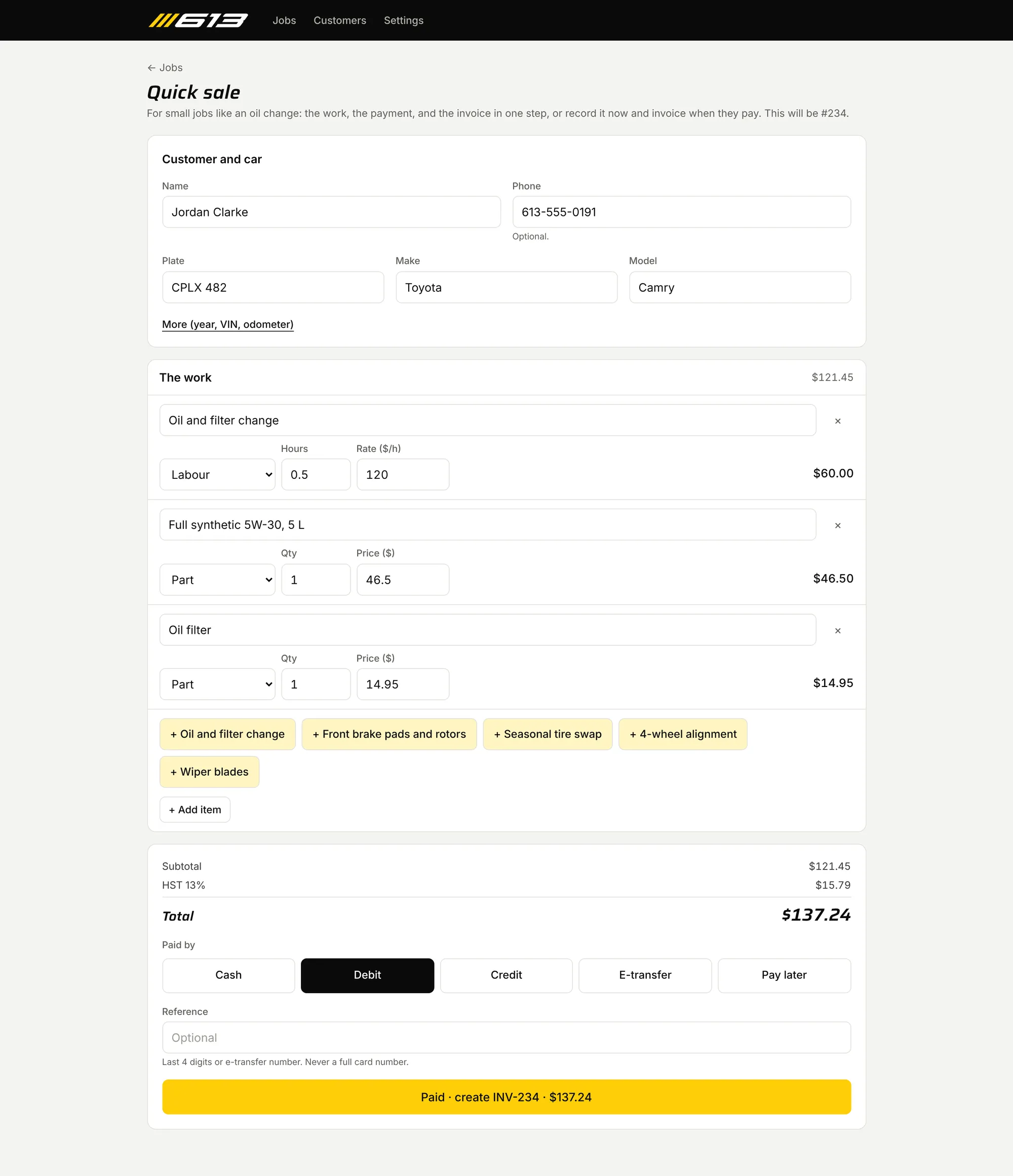
Oil changes, alignments and the like don’t need an estimate. A quick sale takes the name, phone, plate, make and model, the work (saved items are one-tap buttons) and how they paid, then saves the customer, car, lines, invoice with HST and payment together. It goes through the usual approved, ready and invoiced steps, so numbering, totals and records match every other job, and nothing is saved if any part fails.
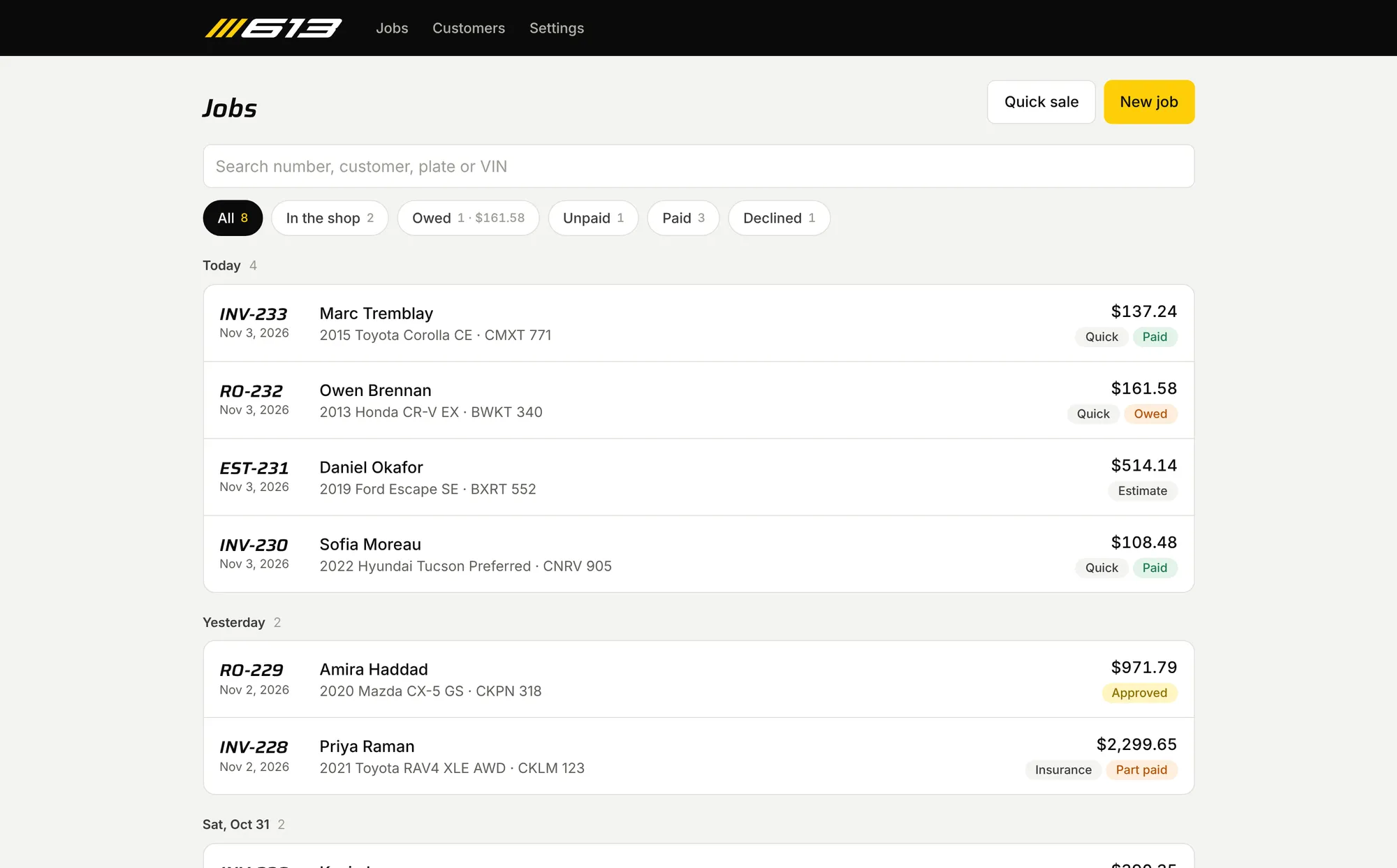
Pay later. Friends and family often pay for small jobs later. A quick sale can be saved without a payment: it waits as “Owed”, with its own filter and total on the jobs list, and is invoiced on the day they actually pay. There’s no default, so every sale is either paid or deliberately left owing.
On a phone in the bay
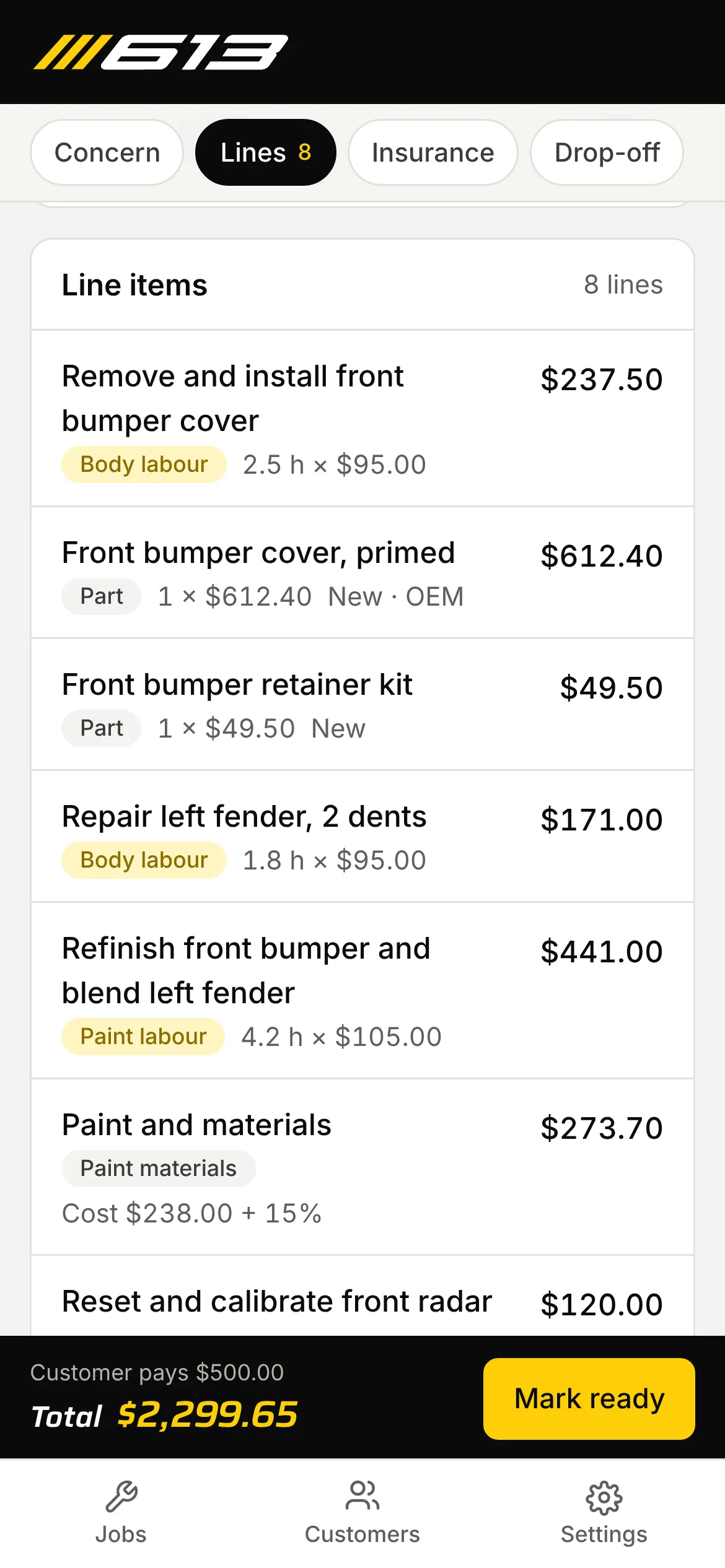
Technicians don’t sit at the front desk.
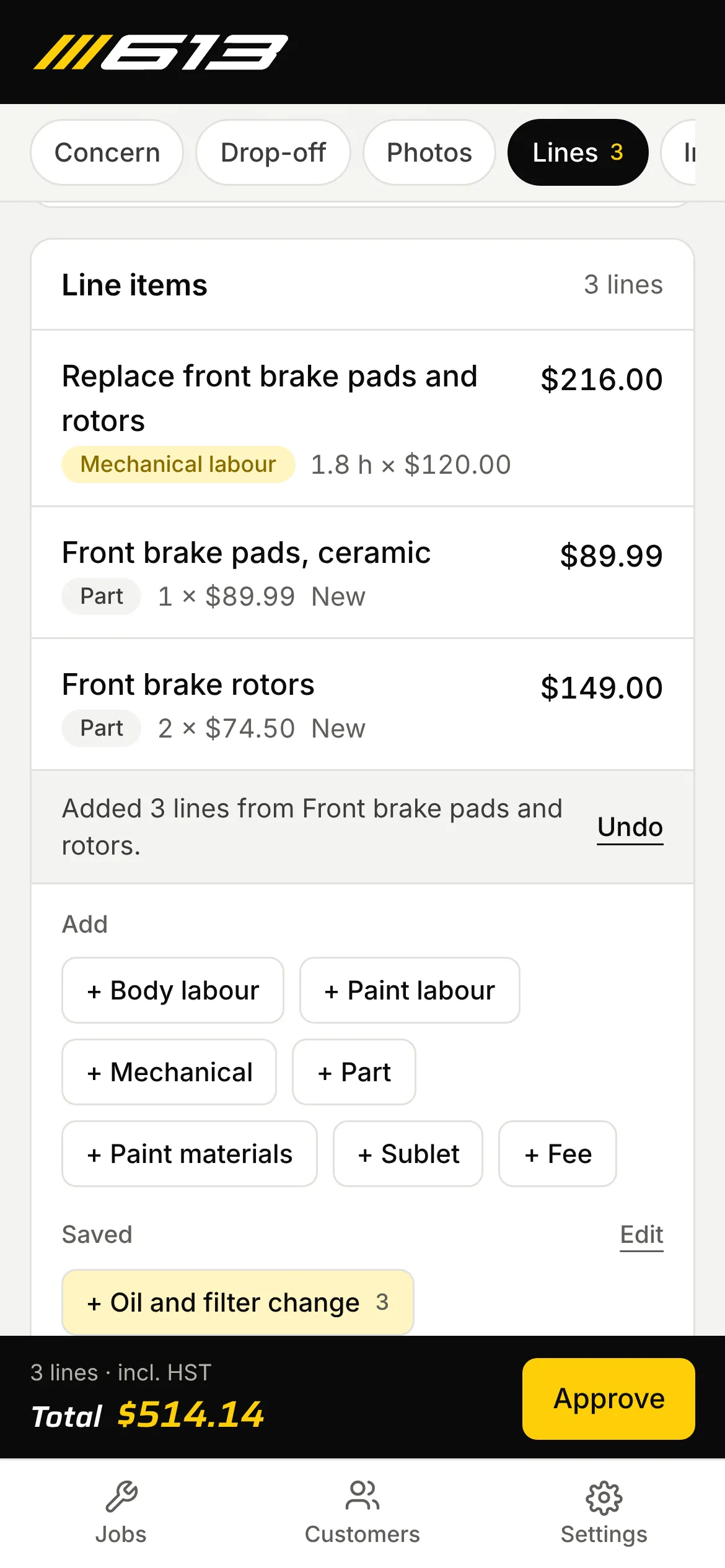
On a phone, a job is one long page with a row of chips to jump between sections and big tap targets. The bar at the bottom shows the total and the next step: Approve, Mark ready, Invoice or Record payment.
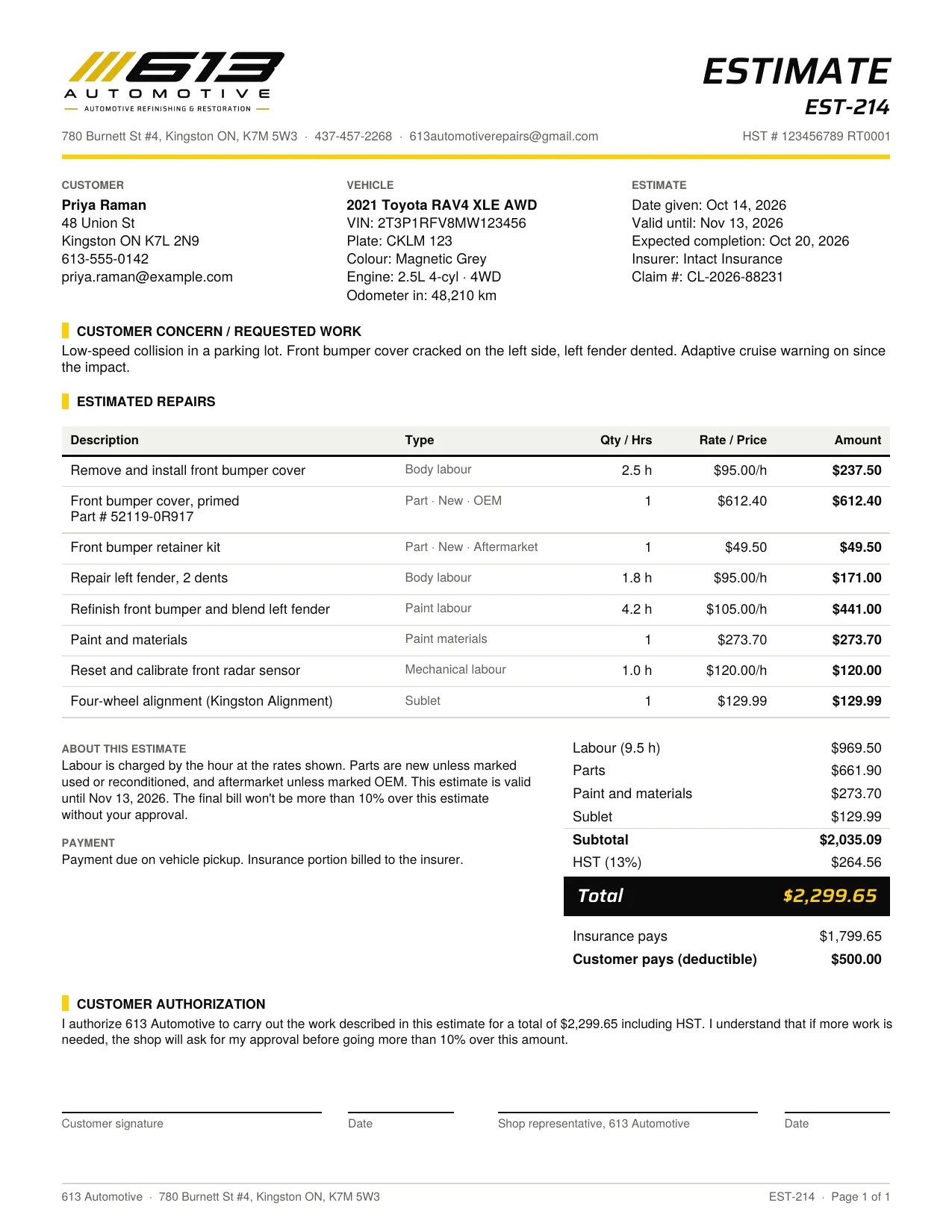
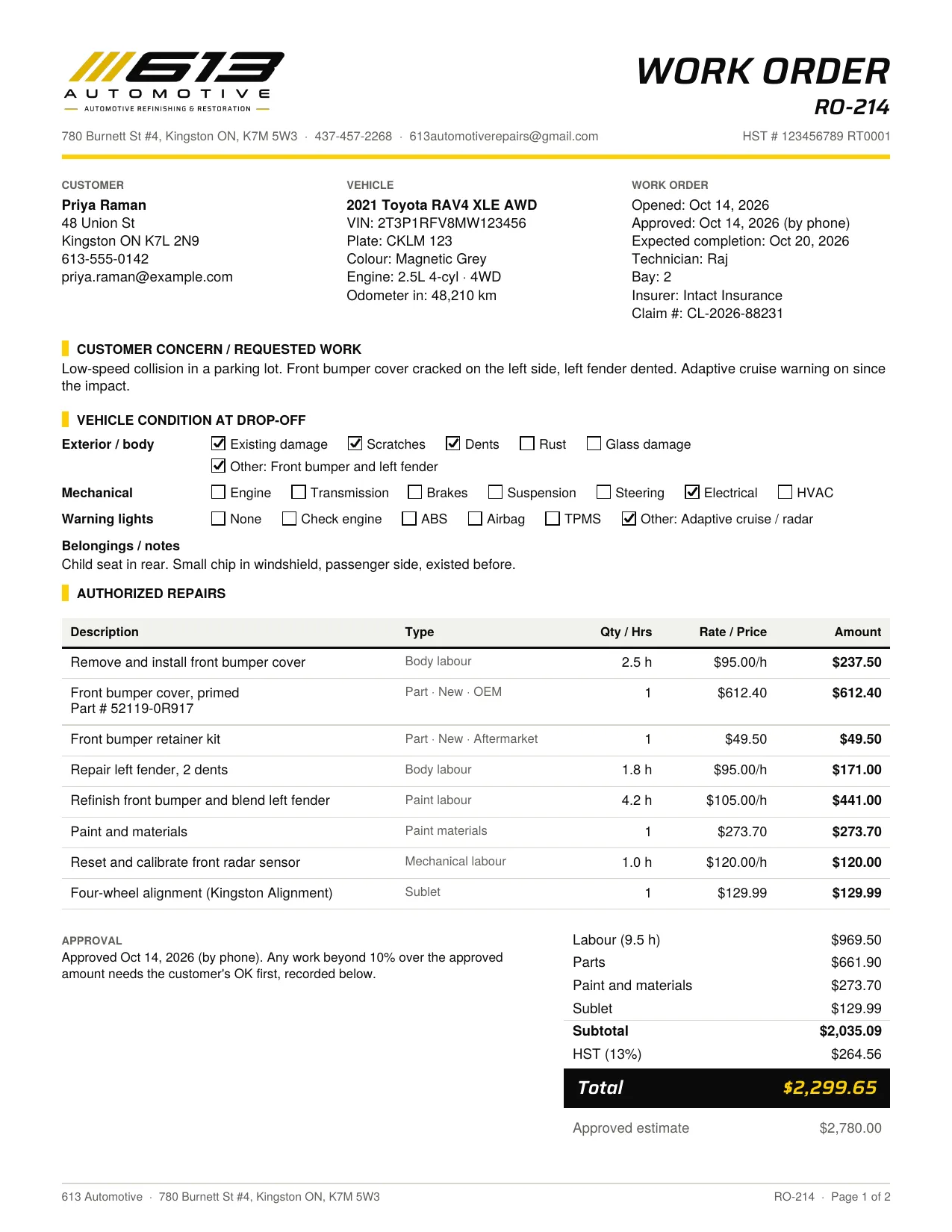
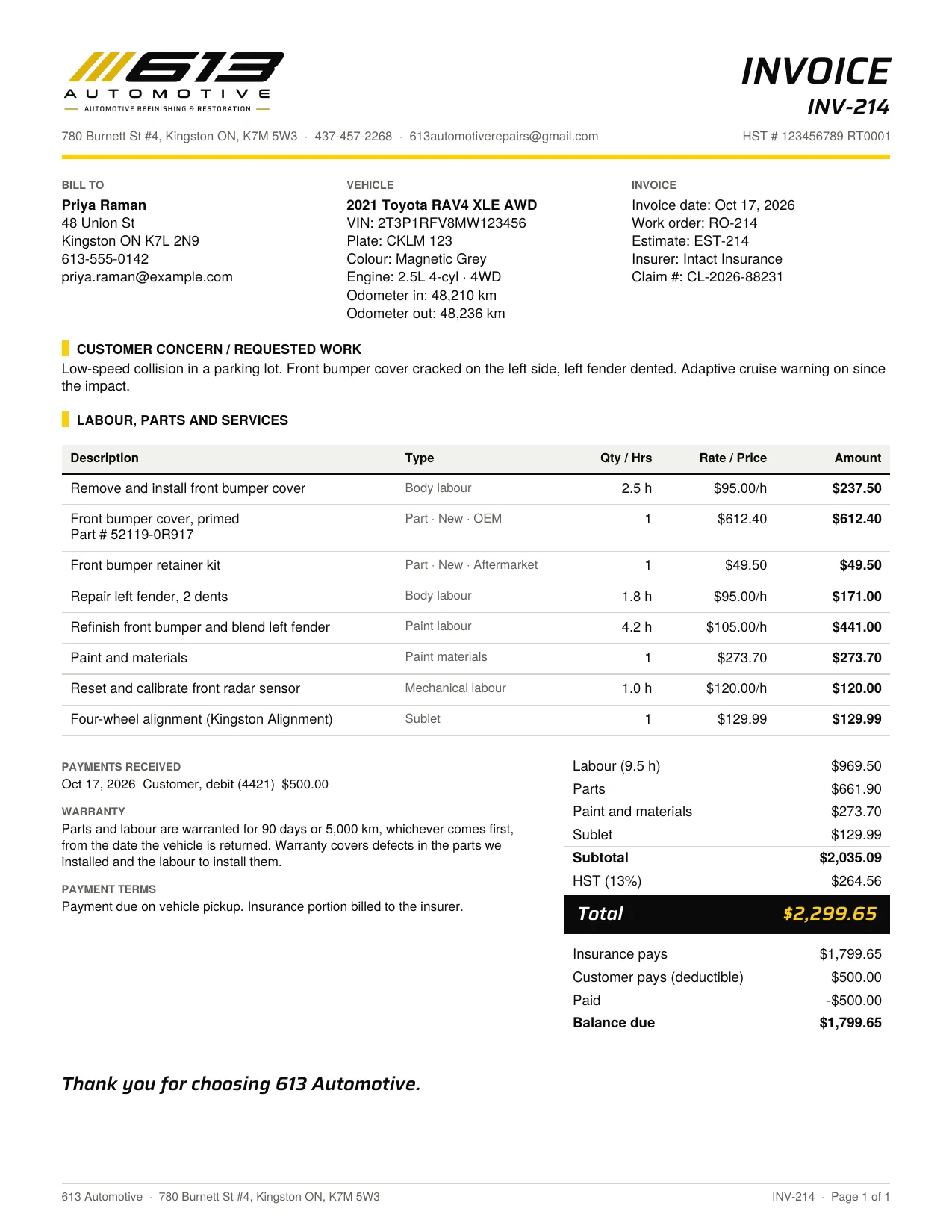
Four documents
Estimate, work order, invoice and inspection, all from the same data.
They print with jsPDF, in the brand I made from their logo: the “613” lettering traced from the JPEG, the stripes redrawn as clean shapes, Saira for headings and totals, and 613 yellow kept for the one thing that matters on each page.
What changed after feedback
Two weeks of live testing at the counter, and the app got shorter.
- 27 Oct
Starting a job meant creating the customer, coming back to add the vehicle, then creating the job.
Check-in is now one screen and one save. New customers need only a name and a phone or email; the rest sits behind “More details”. While a job is an estimate, its page follows the counter’s order: concern, drop-off, photos, lines.
- 28 Oct
Estimates and checkout needed to be faster.
Saved items, copying the car’s last job, “Paid now” on the invoice, and the next step in the phone’s bottom bar.
- 29 Oct
Pages needed to answer a tap faster.
The app now runs in the same region as its database instead of across the continent, and every page shows a loading screen straight away.
- 31 Oct
Walk-in jobs like oil changes don’t need an estimate, and friends and family often pay later.
Quick sale, then Pay later and the Owed filter. Saved items got their own page in Settings, ordered by the shop, and the jobs list opens on everything, newest first.
Decisions
Money is worked out in one place
One module, in whole cents, works out every total. The job screen, the jobs list and the PDFs all call it, so they can’t disagree. Its tests include the shop’s own sample estimate.
The law is part of the workflow
Ontario wants a record of how an estimate was approved, a cap of 10% over it, and odometer readings on the invoice. The app asks for each at the moment it matters instead of leaving it to memory.
Database rules are tested, not assumed
The real migrations run in PGlite inside the test suite, so the row-level security that keeps data to the shop’s staff is checked on every change.
All or nothing at the counter
Check-in and quick sale each save through one database function. Customer, car, job, invoice and payment are written together or not at all, so a failed save never leaves half a customer or burns a job number.
A brand before an interface
The shop had a logo and nothing else. Making the colours, type and logo files first meant the app and the paperwork look like the same business.
Where it is now
- Status
- In live testing at the shop since October 2026
- Covers
- Check-in to paid, quick sales, inspections, photos, four printed documents
- Next
- Emailing documents to customers
Reflection
The request was an invoice generator. Most of the work turned out to be the parts around the invoice: the approval record, the drop-off photos, the 10% cap. Then live testing took steps away rather than adding them: three screens to start a job became one, and a walk-in oil change became one tap. Making the brand first felt like a detour at the time; it’s what makes the printed paperwork look like it belongs to the shop.